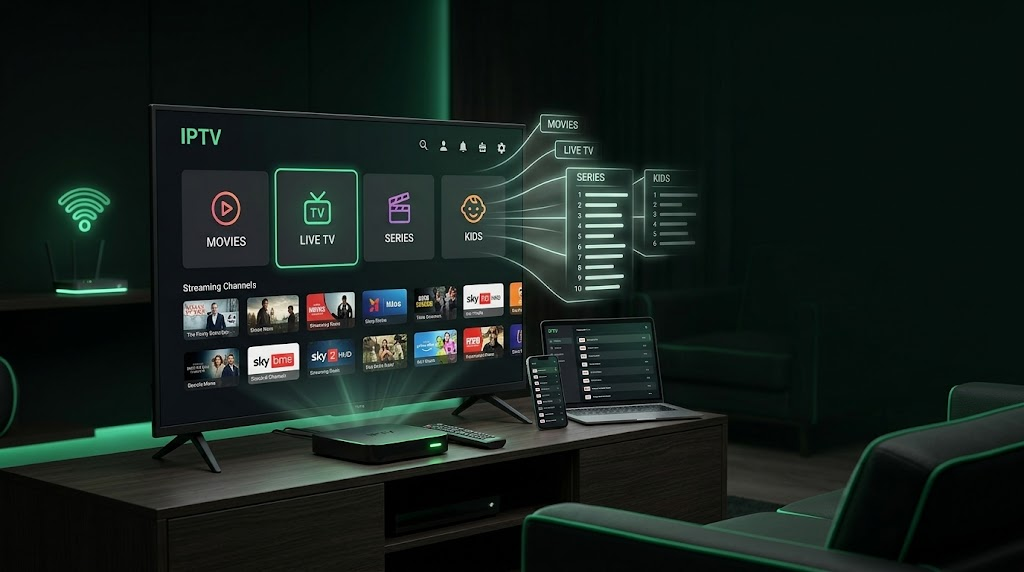
ipplaytv presents this Ultimate IPTV Playlist Guide for users who want to understand how IPTV playlists work in 2026, how M3U playlists are used, and how they connect with IPTV players on different devices.
An IPTV playlist can make it easier to organize streaming channels and other content in one place. However, understanding the difference between a playlist, an IPTV player, and an IPTV service is important before setting up your streaming system.
What Is an IPTV Playlist?
An IPTV playlist is a file or URL containing information that a compatible IPTV player can read and organize.
A playlist may contain information about live television channels, video streams, categories, channel names, logos, and electronic program guide information.
One of the most common formats associated with IPTV playlists is M3U.
The playlist itself is not normally the application used to watch the content. Instead, the IPTV player reads the playlist and displays the available streams through its interface.
For example, an IPTV playlist can organize channels into categories such as:
- News
- Sports
- Entertainment
- Movies
- Music
- Kids
- International channels
The exact categories depend on the source of the playlist.
How Does an IPTV Playlist Work?
The basic concept is simple.
A compatible IPTV player receives information from a playlist and uses that information to display available streams.
A typical setup can be represented as:
IPTV service → IPTV playlist → IPTV player → Streaming device
The player reads the playlist and presents the available content in an organized interface.
However, a playlist does not guarantee that every stream will always work. Playback can depend on the source, internet connection, device, server performance, and other technical factors.
What Is an M3U IPTV Playlist?
M3U is a common playlist format used to organize multimedia resources.
An M3U file can contain references to media streams and additional information that helps compatible applications identify those streams.
For more background about the M3U format, you can read the M3U information on Wikipedia.
Depending on how a playlist is created, it may contain information such as:
- Channel names
- Stream addresses
- Group categories
- Channel logos
- EPG information
- Other metadata
Not every M3U playlist contains the same information, so compatibility can vary between applications.
How to Add an IPTV Playlist
The exact process depends on the IPTV player you are using.
Some IPTV applications allow users to enter a playlist URL, while others allow an M3U file to be uploaded directly.
A typical setup looks like this:
- Open a compatible IPTV player.
- Select the option to add a playlist.
- Choose URL or file upload, depending on the player.
- Enter the playlist information.
- Save the playlist.
- Wait for the channels and categories to load.
- Browse the available content.
Some IPTV services use a different login system instead of a traditional M3U URL.
If you are looking for a suitable application, you can also read our guide to the best IPTV player in 2026.
IPTV Playlist vs IPTV Player
An IPTV playlist and an IPTV player have different purposes.
The IPTV playlist contains information about available streams.
The IPTV player is the application that reads and plays those streams.
A simple way to understand the difference is:
Playlist = content information
Player = application used to access compatible streams
A good IPTV player may offer features such as:
- Favorites
- Search
- Categories
- EPG support
- Multiple playlist support
- Subtitles
- Playback controls
- VOD organization
- 4K playback
The best choice depends on your device and the features you need.
Choosing an IPTV Playlist
Not every IPTV playlist provides the same experience.
Before using a playlist, consider where it comes from and whether you are authorized to access the content it provides.
It is also useful to consider:
- Compatibility with your IPTV player
- Playlist format
- Channel organization
- EPG support
- Streaming quality
- Update frequency
- Reliability
A playlist with outdated or unavailable streams can lead to a poor viewing experience.
If you are comparing services, our guide to IPTV providers in 2026 explains important factors to consider when evaluating an IPTV provider.
IPTV Playlist and Streaming Quality
An IPTV playlist can contain streams with different video qualities.
Depending on the service, users may find SD, HD, Full HD, or 4K streams.
However, the presence of a 4K channel in a playlist does not automatically guarantee smooth 4K playback.
Actual streaming quality can depend on:
- Internet speed
- Wi-Fi stability
- Device performance
- IPTV player compatibility
- Stream source
- Server performance
For users interested in higher-resolution streaming, our IPTV 4K guide covers the main factors that affect picture quality.
IPTV Playlist on Smart TVs
Smart TVs can provide a convenient way to watch IPTV on a large screen.
However, the available applications depend on the operating system of the television.
Before choosing an IPTV player, check whether it supports your Smart TV and the playlist format you want to use.
Useful features include:
- Simple remote navigation
- Playlist support
- Search
- Favorites
- EPG
- Fast channel switching
If your Smart TV has limited application support, a compatible streaming box may provide additional options.
You can learn more in our guide to Smart TV boxes for IPTV.
IPTV Playlist on Android TV
Android TV and Google TV devices can provide flexibility when configuring an IPTV setup.
Users can install compatible IPTV applications and add supported playlists or login information.
Before choosing an application, check:
- Playlist compatibility
- Remote-control support
- EPG functionality
- Video playback support
- Application performance
- Device requirements
The hardware of the Android TV device can also affect playback, especially when using high-resolution streams.
IPTV Playlist and EPG
EPG stands for Electronic Program Guide.
When supported by both the playlist and IPTV player, an EPG can display information about current and upcoming programs.
This can make it easier to navigate a large channel list.
Depending on the setup, an EPG may show:
- Program names
- Start times
- End times
- Current programs
- Upcoming programs
- Channel information
EPG availability depends on the IPTV service and the playlist configuration.
Why Is an IPTV Playlist Not Working?
There are several reasons why an IPTV playlist may stop working.
The playlist URL could have expired, the source may have changed, or the streaming server could be temporarily unavailable.
Other possible causes include:
Internet Connection
A slow or unstable connection can cause buffering or playback errors.
Expired Access
Some playlists are connected to subscriptions and may stop working when access expires.
Server Problems
Temporary server problems can make some or all streams unavailable.
Player Compatibility
The IPTV player may not support a particular playlist format or stream type.
Incorrect Information
A typing error in a playlist URL or login information can prevent the player from loading the content.
Testing the same playlist on another compatible player or device can help identify the source of the problem.
IPTV Playlist and Smart TV Boxes
A streaming box can provide another way to use IPTV when a Smart TV does not offer suitable applications.
Android TV and Google TV boxes can support a variety of streaming applications, depending on the device and operating system.
Before buying a streaming box, consider:
- Operating system
- Available applications
- Hardware performance
- 4K support
- Remote control
- Storage
- Network connectivity
Our Smart TV box guide provides more information about choosing a device for streaming.
IPTV Playlist and IPTV Services
The playlist is only one part of an IPTV setup.
The IPTV service behind the playlist can have a significant impact on the viewing experience.
When comparing IPTV services, consider:
- Device compatibility
- Streaming quality
- Available content
- Customer support
- Subscription terms
- Reliability
- Legal authorization
You can also read our guide to the best IPTV services in 2026 for more information about comparing IPTV services.
IPTV Premium Services
Some IPTV services offer premium subscription packages with additional features.
Depending on the provider, premium packages may include different content libraries, higher-quality streams, additional device support, or other features.
However, the word “premium” does not automatically guarantee better performance.
It is important to check the actual features and subscription conditions before paying.
Our IPTV premium guide covers additional factors to consider when evaluating premium IPTV services.
IPTV Playlist and Long-Term Subscriptions
Users considering a longer subscription should check compatibility before making a long-term commitment.
A playlist should work with the preferred IPTV player and device, and the service should provide clear subscription information.
Testing the setup first can help identify compatibility problems.
If you are considering a longer subscription period, see our 12-month IPTV subscription guide for additional information.
IPTV Playlist Security
Be careful when downloading IPTV applications, files, or playlists from unknown sources.
Avoid installing suspicious applications or providing sensitive information to websites you do not trust.
It is also important to keep your device and applications updated.
Before using a playlist, understand where it comes from and make sure you are authorized to access the content it provides.
Is IPTV Playlist Usage Legal?
An IPTV playlist is a technical method of organizing streaming information. The legality of a particular IPTV service depends on the content it distributes and whether the provider has the necessary rights.
IPTV technology itself is different from the individual services that use it.
Users should check the laws that apply in their country and choose services that are authorized to distribute their content.
Final Thoughts
An IPTV playlist can make it easier to organize and access compatible streaming channels through an IPTV player.
Understanding how M3U playlists work, how they connect to IPTV players, and how different devices handle them can make the setup process much easier.
Before using a playlist, check compatibility, streaming quality, EPG support, device requirements, and the reliability of the service providing the streams.
For a complete setup, you can compare IPTV providers, choose a suitable IPTV player, and select a compatible Smart TV or streaming device.
With the right combination of service, playlist, player, device, and internet connection, users can create a more organized IPTV streaming setup in 2026.