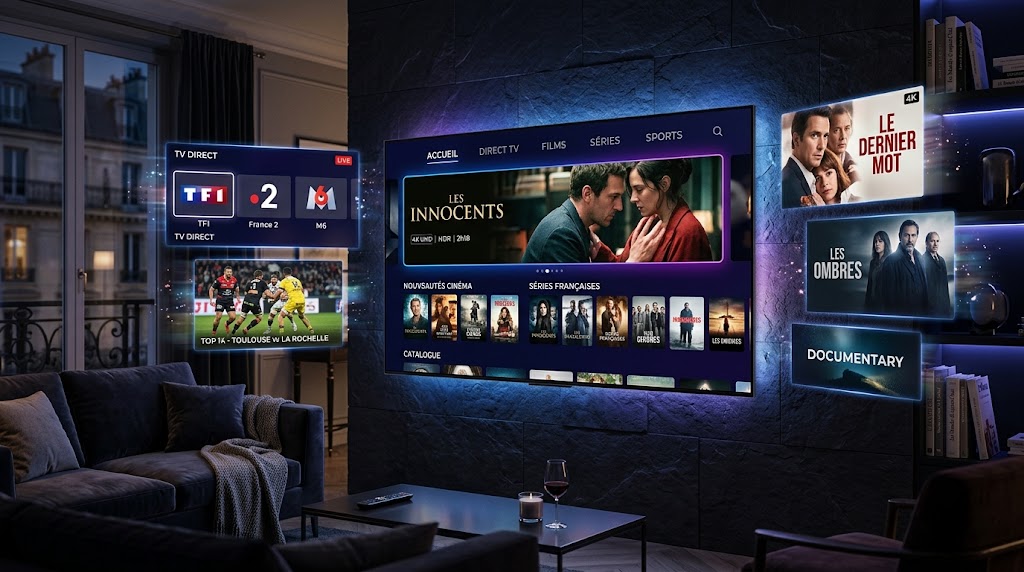
A Smart TV Box is a small device that connects to your television and gives it access to online entertainment, streaming applications, and other smart features. It can be a useful solution for people who have an older TV and want to enjoy modern streaming features without buying a completely new television.
With a compatible Smart TV Box and a stable internet connection, users can access streaming platforms, IPTV players, music applications, web browsers, and many other services directly from their TV. These devices have become increasingly popular because they are simple to set up and can add useful features to almost any compatible television.
What Is a Smart TV Box?
A Smart TV Box is a compact media device designed to connect to a television through an HDMI port. Once connected to the internet, it can provide access to different applications and online content.
Most modern TV Boxes use operating systems based on Andwww.android.comroid or other smart TV platforms. They usually come with a remote control and an interface that allows users to browse applications, change settings, search for content, and manage their entertainment experience.
Unlike a traditional television, a TV Box can add smart functionality to almost any compatible screen. This makes it an interesting option for people who already own a good television but want additional features.
How Does a Smart TV Box Work?
Setting up a Smart TV Box is generally simple. The device is connected to the TV using an HDMI cable and then connected to the internet through Wi-Fi or an Ethernet cable.
After turning it on, users can complete the initial setup and access the available applications. Depending on the model, a Smart TV Box may support popular streaming services, IPTV applications, media players, web browsers, and other entertainment tools.
The quality of the experience depends on several factors, including the specifications of the device, the television, the internet connection, and the applications being used. A faster internet connection can be particularly important when streaming high-resolution content.
What Can You Do With a Smart TV Box?
A Smart TV Box can offer many different entertainment possibilities. The exact features depend on the model and operating system, but most devices are designed to make online content easier to access from a television.
Watch Streaming Services
Users can install compatible streaming applications and watch movies, TV shows, documentaries, and other online content. Instead of watching everything from a computer or smartphone, the TV Box allows users to enjoy supported services directly on a larger screen.
Use IPTV Applications
Many Smart TV Boxes support IPTV players. These applications can be used with a compatible IPTV service to access live television channels and other available content.
Once the application is installed, users can configure it according to the instructions provided by their service provider. The available content depends on the IPTV service and the user’s subscription.
Some higher-end TV Boxes support 4K resolution. However, both the television and the content need to support 4K, and a sufficiently fast internet connection is also important.
Having a 4K-compatible device does not automatically mean that every video will play in 4K. The resolution depends on the source content, application, internet connection, and television.
Browse the Internet
Depending on the operating system and available applications, a Smart TV Box can also provide access to web browsers and online services directly from the television.
This can be useful when you want to search for information, visit websites, or access online content without switching to another device.
Play Music and Other Media
A TV Box can also be used to access music applications or play compatible video and audio files. This can turn your television into a more complete entertainment system for the whole home.
Smart TV vs Smart TV Box
A Smart TV has its smart features built directly into the television. A Smart TV Box, on the other hand, is an external device that adds similar functionality to a standard TV.
For example, if you already have a good-quality television but it does not have the applications or features you need, purchasing a TV Box can be an easier alternative to replacing the entire TV.
Another advantage is flexibility. You can upgrade the external device later without changing your television. This can be useful as applications and streaming technologies continue to develop.
Can You Use IPTV on a Smart TV Box?
Yes, many Smart TV Boxes are compatible with IPTV applications and media players.
Once a compatible IPTV application is installed, users can normally configure it with the information provided by their IPTV provider. Depending on the service and application, this may include a playlist, login credentials, or another supported connection method.
The available channels and content depend on the IPTV service being used. It is also important to use services and content that you are legally entitled to access.
For the best experience, users should also make sure that their internet connection is stable enough for live streaming and that the TV Box has sufficient performance for the applications they want to use.
What Should You Look for When Buying a Smart TV Box?
There are many TV Boxes available, so choosing the right one depends on how you plan to use it. A device that works well for basic streaming may not offer the same performance as a model designed for demanding applications or high-resolution video.
1. Resolution Support
If you have a 4K television, consider a device that supports 4K output. This can help you take advantage of your TV’s capabilities when compatible content is available.
2. Processing Power
A faster processor can provide smoother navigation and better performance when running applications. If you plan to use several applications, good processing performance can make the device feel more responsive.
3. RAM and Storage
More RAM can help with multitasking, while sufficient storage gives you more space for applications and other media.
You should consider how many applications you expect to install before choosing a model with limited storage.
4. Internet Connectivity
A reliable Wi-Fi connection is important for streaming. Ethernet connectivity can also be useful if you want a more stable wired connection.
For users who frequently watch high-resolution content, a wired connection may provide a more consistent experience when the TV Box is located close to the router.
5. Operating System
Check which operating system the device uses and whether it supports the applications you plan to install.
Application compatibility is important because not every TV Box provides access to exactly the same services or software.
6. HDMI Compatibility
Make sure the TV Box can connect to your television through a compatible HDMI port. Most modern televisions support HDMI, but it is still worth checking before purchasing a device.
For many users, a Smart TV Box can be a practical and affordable way to improve their television experience.
It can be particularly useful if you have an older television that still has a good screen but lacks modern smart features. Instead of replacing the TV, you can connect a compatible box and gain access to a wider range of applications and online services.
It can also be useful for users who want more flexibility than the built-in operating system of their Smart TV provides.
Another benefit is portability. Depending on the device, you can disconnect the TV Box and use it with another compatible television. This can make it convenient for different rooms or locations.
How to Set Up a Smart TV Box
The basic setup process is usually straightforward. First, connect the TV Box to your television using an HDMI cable. Then connect the power adapter and turn on both the television and the device.
Select the correct HDMI input on your TV and follow the setup instructions displayed on the screen. You will normally need to connect the device to your Wi-Fi network or use an Ethernet cable.
After connecting to the internet, you can sign in to the relevant account if required and install compatible applications.
The exact setup process can vary depending on the manufacturer and operating system, so it is always a good idea to follow the instructions supplied with the device.
Final Thoughts
A Smart TV Box is a convenient device that can transform a traditional television into a connected entertainment system. From streaming applications and IPTV players to online services and 4K content, the right device can provide a more flexible viewing experience.
Before choosing a model, consider its operating system, performance, storage, resolution support, connectivity options, and compatibility with the applications you want to use.
A Smart TV Box does not necessarily replace a Smart TV, but it can provide an affordable way to add useful features to an existing television. With the right device and a reliable internet connection, your television can become much more than just a screen.